Gohighlevel Login
GoHighLevel Login Guide: How to Access and Manage Your Account Easily
Table of Contents
Introduction: Why the GoHighLevel Login Matters
Understanding the GoHighLevel Login Page
Step-by-Step Guide: How to Log Into GoHighLevel
Accessing GoHighLevel from Desktop vs. Mobile App
GoHighLevel Client Portal Login Explained
Common GoHighLevel Login Issues & Troubleshooting
Tips for Secure GoHighLevel Account Access
GoHighLevel Login Help: Where to Get Support
Managing Multiple Accounts as an Agency
Final Thoughts: Seamless Access, Better Productivity
Introduction: Why the GoHighLevel Login Matters
When you run a growing business or agency, time and efficiency are everything. The last thing you want is wasted minutes trying to log into your tools. That’s why knowing exactly how to navigate the GoHighLevel login process is crucial.
GoHighLevel isn’t just another CRM it’s a full-suite platform with pipelines, funnels, automations, reporting, and client portals. But to get the most from it, you need quick, reliable, and secure access every single day.
In this guide, we’ll walk through everything you need to know about the GoHighLevel login page, account access, and troubleshooting common issues, so you can manage your business with ease.
👉 Ready to master GoHighLevel inside and out? Explore our expert training at GoHighLevel MasterClass.
Understanding the GoHighLevel Login Page
When you visit the official GoHighLevel login page, you’ll be prompted to enter:
Email Address (linked to your GHL account)
Password (set during registration)
The login page may also include:
A “Forgot Password” link (for resetting credentials).
An option to log into the client portal if you’re an end client instead of an agency admin.
A link to download the mobile app for easier on-the-go access.
👉 Bookmark the page so you don’t waste time searching every time you need to sign in.
Step-by-Step Guide: How to Log Into GoHighLevel
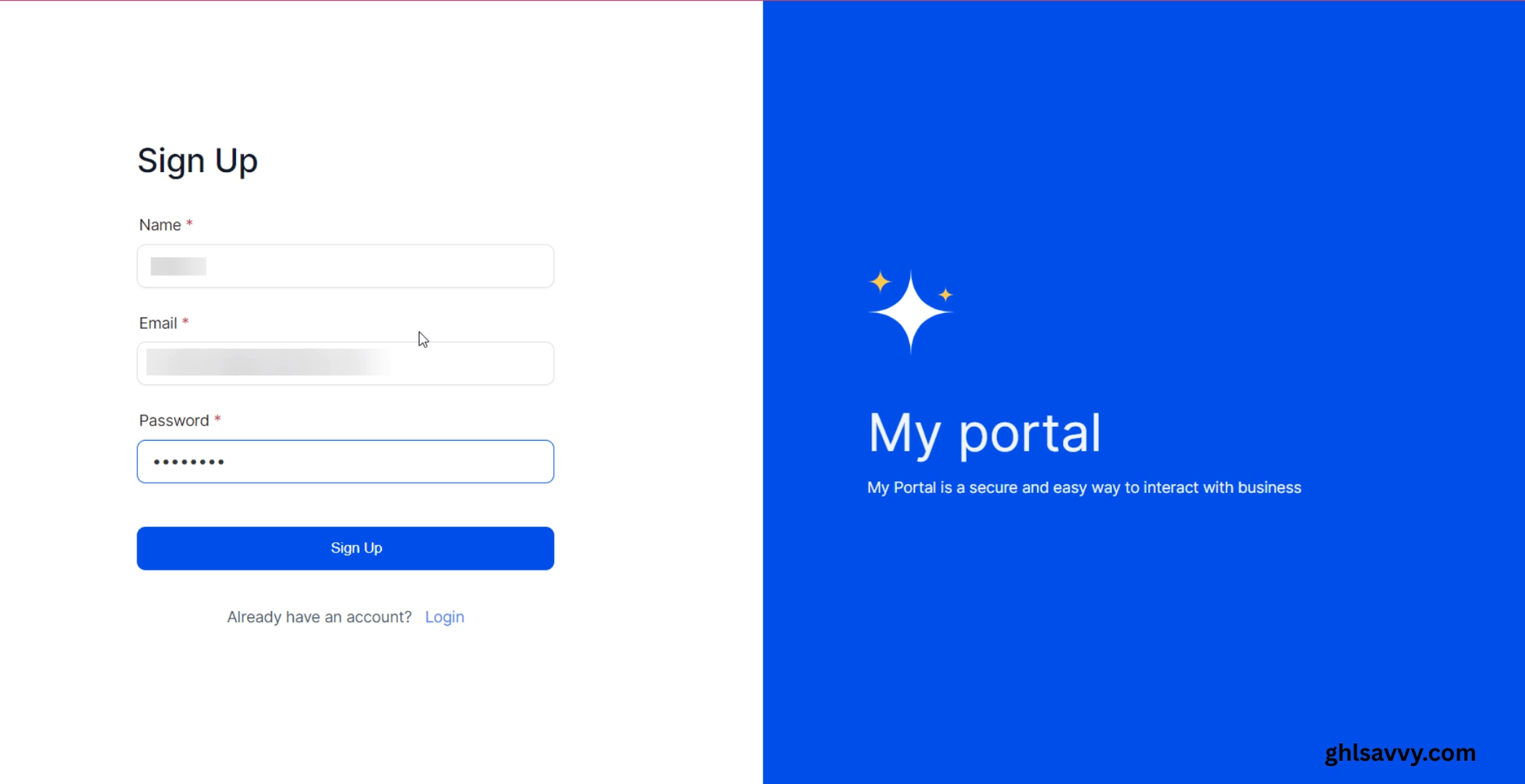
Here’s a simple, step-by-step breakdown of how to sign into GoHighLevel:
Go to the official GoHighLevel login page (app.gohighlevel.com).
Enter your email address associated with your account.
Type in your password (be sure caps lock isn’t on).
Click Login.
If you have two-factor authentication (2FA) enabled, enter the code from your authenticator app or SMS.
Once verified, you’ll land on the GoHighLevel dashboard, where you can manage pipelines, automations, and clients.
That’s it your GoHighLevel account access is complete.
Accessing GoHighLevel from Desktop vs. Mobile App
You can log into GoHighLevel in two main ways:
Desktop Login
Best for deep workflow setups, campaign management, and reporting.
Access full dashboards, pipelines, funnels, and integrations.
Mobile App Login
Download the GoHighLevel mobile app (available for iOS and Android).
Sign in with the same credentials.
Manage leads, send messages, and check pipelines on the go.
Clients can also use the app for quick client portal login.
Both experiences sync seamlessly meaning what you do on desktop reflects instantly in the mobile app.
GoHighLevel Client Portal Login Explained
For agencies, one of the most powerful features is the GoHighLevel client portal login. This gives clients direct access to:
Their leads and pipelines.
Performance dashboards.
Appointment scheduling.
Review requests and messages.
Instead of sending scattered reports, you can give clients real-time visibility via their portal login.
👉 This improves transparency, reduces churn, and makes ROI reporting much easier.
Common GoHighLevel Login Issues & Troubleshooting
Sometimes users face challenges logging in. Here are the most frequent GoHighLevel login issues and how to fix them:
1. Incorrect Credentials
Double-check your email and password.
Ensure you’re using the email linked to your agency account.
Reset password using the “Forgot Password” option.
2. Two-Factor Authentication (2FA) Errors
Make sure your authenticator app or SMS device is synced with the correct time zone.
Reinstall your authenticator app if codes don’t match.
3. GoHighLevel Login Page Not Loading
Clear your browser cache and cookies.
Try a different browser (Chrome works best).
Disable VPNs or ad blockers that may interfere.
4. Mobile App Login Problems
Update the app to the latest version.
Ensure internet connection is stable.
Log out and re-enter credentials.
5. Locked Account
After too many failed attempts, GHL may temporarily lock your account.
Wait 15 minutes and try again, or reach out to support.
Tips for Secure GoHighLevel Account Access
Your GHL account contains sensitive client data, so security matters. Follow these tips:
Always enable two-factor authentication.
Use a strong, unique password (avoid reusing passwords).
Avoid logging in on public Wi-Fi without a VPN.
Regularly review and update user permissions if managing team members.
GoHighLevel Login Help: Where to Get Support
If you’ve tried troubleshooting and still need help, here’s where to go:
GoHighLevel Help Center: Step-by-step articles and FAQs.
Live Chat Support: Accessible directly inside the GHL dashboard.
Email Support: Reach out to the official support team.
Community Groups: Facebook and Slack groups where agencies share tips.
👉 For agencies onboarding clients, you can also create custom login help docs to reduce client confusion.
Managing Multiple Accounts as an Agency
If you’re running GoHighLevel in SaaS Mode, you may manage dozens (or even hundreds) of client accounts.
Here’s how to simplify multi-account login:
Use the Agency View in GHL to switch between accounts without separate logins.
Provide each client with unique client portal login credentials.
White-label the login page with your agency branding for a professional touch.
This makes your agency look polished and keeps everything under one secure roof.
Final Thoughts: Seamless Access, Better Productivity
Logging into GoHighLevel may sound simple, but it’s the gateway to running your entire agency smoothly. By mastering the login process, setting up secure access, and troubleshooting common issues, you ensure your team and clients never face downtime.
The GoHighLevel login page is more than just a sign-in screen it’s the key to pipelines, automation, reporting, and client transparency. Whether on desktop, mobile, or via the client portal, seamless login means more focus on what matters: scaling your business and proving ROI for clients.